New! Jukebox Jockey Media Player 4 Released
Submitted by JayShoe on
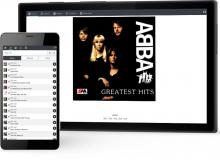 Jukebox Jockey Media Player Version 4 is now available for download. This is a paid upgrade with improvements and enhancements.

Submitted by JayShoe on
Jukebox Jockey Media Player Version 4 is now available for download. This is a paid upgrade with improvements and enhancements.
Submitted by JayShoe on
 An Mp3+G is a karaoke file format that when played in a compatible Karaoke Player will play both music and graphics in-sync.
Submitted by JayShoe on
We have officially launched Version 3 of Jukebox Jockey Media Player software. This is a paid upgrade that's available with promotional discounts for upgrade users. Here is a list of the main features that can be found in the latest version.
Submitted by JayShoe on
Submitted by Tony on
I want to write a little about the language/translation support, how it works, where it is up to and, if you're interested in this feature, what feedback we like from you to help us get it all completed.
It's worth a quick mention here also that even though the primary aim of this feature is to provide the ability to translate to other languages, that is not its only use. For exmaple, we have one customer that I know of that is using this to change the wording on the "Request List" button to something that he believes is more meaningful to his customers (bars, clubs etc).
Submitted by Tony on
Today we are making a BETA version of Jukebox Jockey available for you to download. It's not a full installer, it's an EXE only. We don't usually release public BETAs and instead tend to keep our beta testing to a small group of users that we have been working with for a long time. This release is a little different though, we have 2 new features that we would really liked your input and feedback on.
Submitted by Tony on
So I had a question from a user the other day asking how they could configure Jukebox Jockey to run a media scan at startup. This can be useful if you are regularly updating your media or use some automated process to update the media of a remote system and need to ensure that Jukebox Jockey's view of your media is always up to date (well, at least after a restart of JJ).
Submitted by Tony on
Hi everyone, my name is Tony and I am the developer of Jukebox Jockey. I have decided to (attempt to) start blogging a little about some advanced configuration and usage of Jukebox Jockey.
Submitted by JayShoe on
Submitted by JayShoe on

Copyright 2015 Jukebox Jockey, LLC