jjlogo

Digital Jukeboxes and Karaoke Machines
Sales: 888-352-3986

Jukebox Jockey Media Player Features

What's new in version 2? Check out the red Updated and New markings.

FeatureDescriptionHomeGoldPlatinum
Updated Single User Only one user is allowed which limits your ability to lock or limit the machine. Exit, minimize, and restore commands can not be hidden in the Home Edition. X X X
Updated Dual Users Adds the ability to have two users which will allow you to lock or limit the machine. X X
Updated Unlimited Users Lock or Limit your machine in the most flexible way. Create users with specific permissions. Guest users are locked out. Host users can change filters, volumes, and player controls. Management can control schedules and advertisments. Administrator can control everything. Additional users can have specific access to features/functions/commands. X
Advanced Media Playback Playback of Music, Video, and Karaoke media formats. X X X
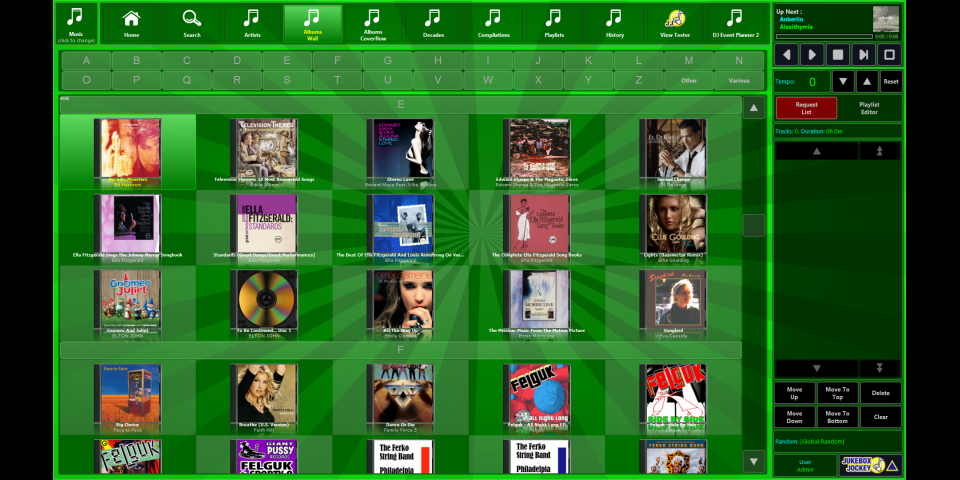
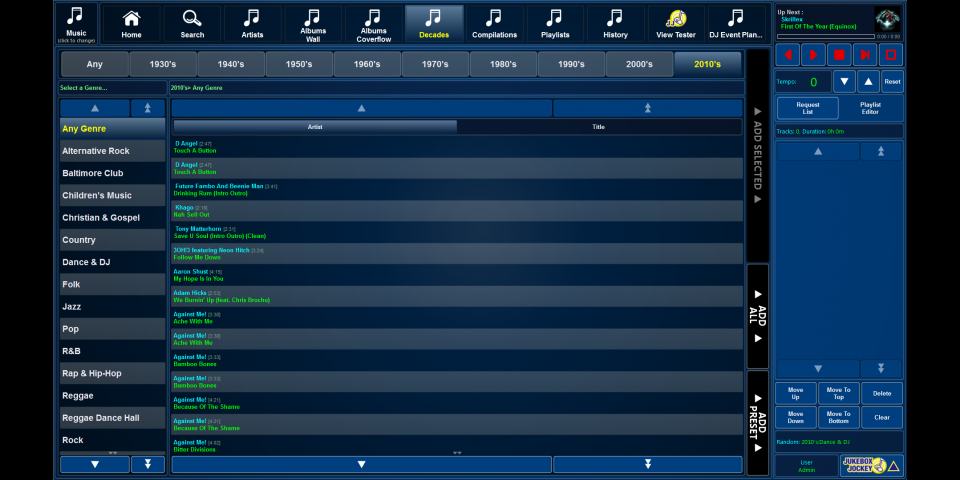
Advanced Views Display your media in nearly any way you want! Included with Jukebox Jockey is 50+ different view definitions that we've created in the past for various customers. Use them to display Playlists, Genres, Decades, Albums, Artists, Searches and more! X X X
Customizable Menu Menu Profiles correspond to collections such as Music, Video, and Karaoke. Customize which buttons appear in each menu profile. Choose from the countless available views or ask for a new view. Limit menu profiles based on logged in user (option not availalbe in editions without users). Customize the view buttons for each collection. Menu  Rename buttons, set icons. X X X
Tag Scanning Import media into Jukebox Jockey using your media’s tags (Id3, ogg, flac, wma, m3a, etc} X X X
File Mask Scanning Use rules to specify your naming conventions, then Jukebox Jockey will recognize metadata using filename and filepath information. X X X
Basic Playlist Importing Import basic playlists into Jukebox Jockey in the popular M3U or PLS formats. X X X
Advanced Playlist Importing Import databases containing playlist data into Jukebox Jockey and display them in special ways in the views. Popular for integration with DJEventPlanner booking management software. X
New! Database Matching Importing Import metadata for your media files by matching them to a database. Compare filename, song-ID, or other method to the database to import information about your media into Jukebox Jockey. X
Database Exports Export the results of your scanned media to a csv file. Use this feature to integrate your media data into other software or to create song books. X
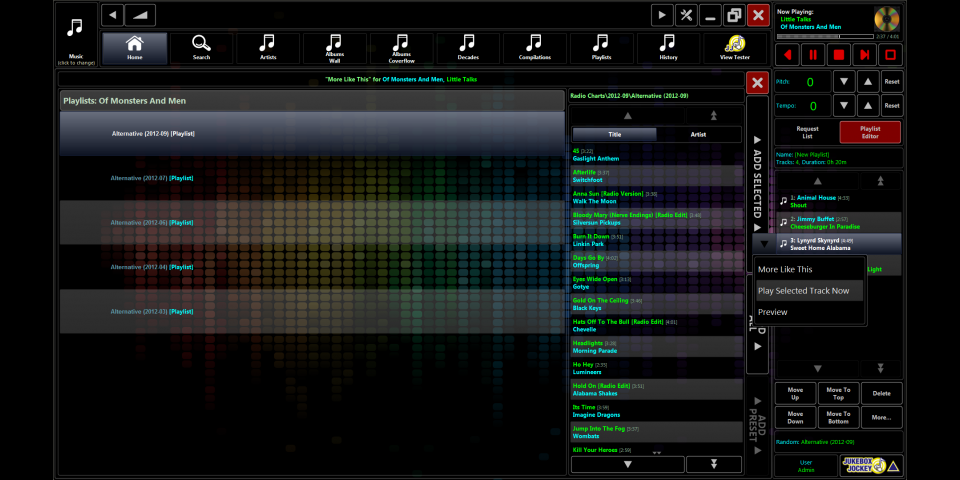
New! More Like This Choose a track and select "more like this". You will be shown more tracks by that artist, in that album, and more! X X X
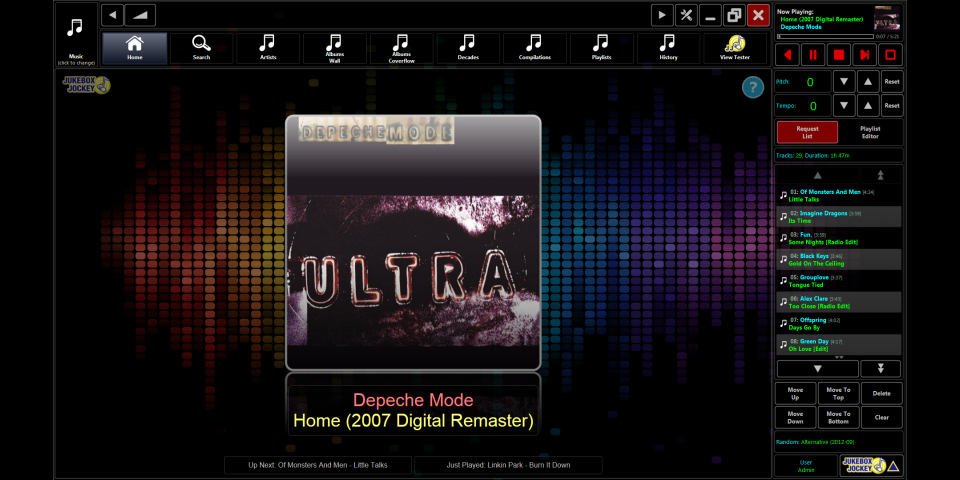
Cover Art Jukebox Jockey will recognize Cover Art (aka Album Art) and display them neatly in the views, player, and home screens. Import your cover art based on your media tags, or specify rules to allow importing of image files stored alongside of your media. X X X
Request Tagging In Karaoke mode, keep track of who is singing what in the request list. The singer's name will be displayed alongside of the track, in the player, and on the home screens. The information can also be used for our "Fullscreen Layouts" functions as well.  X  X X
Customizable Home Page The page that is displayed when selecting "Home" is fully customizable via HTML. X X X
Fullscreen Layouts Create layouts on one, two, or more monitors to display what's now playing, advertisements, singer details, and more. Use HTML pages to customize the design and display of the layouts. X
Dual Monitor, Multiple Independent Displays Use the Jukebox Jockey interface on one screen and display HTML pages, Fullscreen Layouts, Video, or Karaoke media. X X X
New! Application Programming Interface (API) Use COM based rules to execute commands inside of Jukebox Jockey. Use html scripts to retrieve playback information, request list details, and more. X X X
Silence Detection, Cross-fading, Limiter, Dynamic Amplifier Jukebox Jockey can be configured to level out the playback of your files, detect silence, and crossfade music. X X X
New! Pitch and Tempo Control Speed up or slow down the tempo of the music. Adjust the pitch or key of the music.  X X
New! Preview Player Find a song in the views or request list and then preview the file on a small floating player that can play to secondary or rear soundcard outputs. X
Remote Control Control Jukebox Jockey Media Player using an infared remote control. Jukebox Jockey can "learn" almost any remote control. (Hardware required: USBUIRT + Remote) X X X
Volume Mixer Control the volume of your PC from inside of the Jukebox Jockey interface. For example, control an AUX-In or a Microphone volume. Microphone volume can be displayed directly on the Home screen. X
Random Play Configure Jukebox Jockey to randomize from a specific set of music when nothing is in the request list. For example, a genre, decade, artist, album, or playlist. X X X
Playlist and Album Playback Add your playlists or albums to the "Active Playlist", when nothing is in the request list, Jukebox Jockey will play your playlist/album in order. Inject songs into the playback sequence by adding a song to the request list. X X X
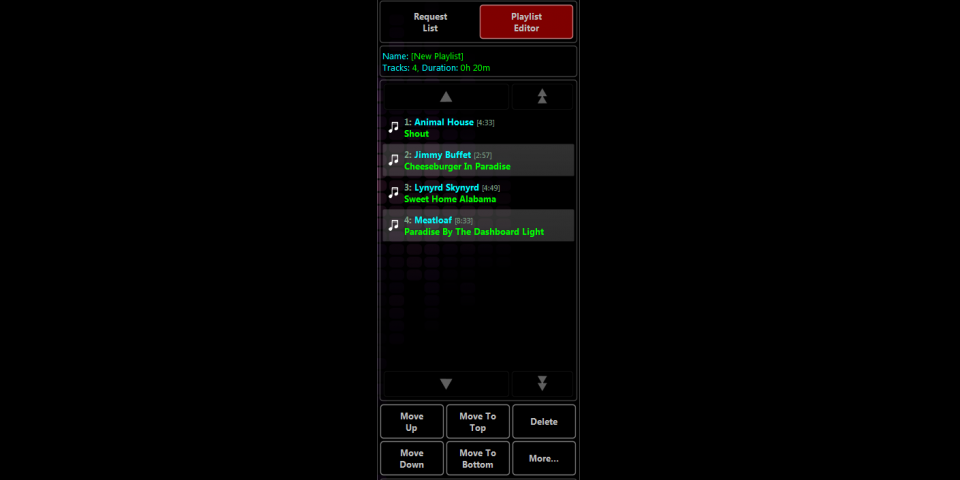
New! Playlist Builder Create , Edit, and Save playlists using our touch-friendly playlists builder. Browse the views as you normally would and create playlists out of your media. X X X
New! Advanced Filters Filter your media using rules based on your metadata such as Artists, Genres, Decades, Ablums, Explicit Lyrics, and more. Use the filters to block requests, create automated playlists, set them as the random play and more. X
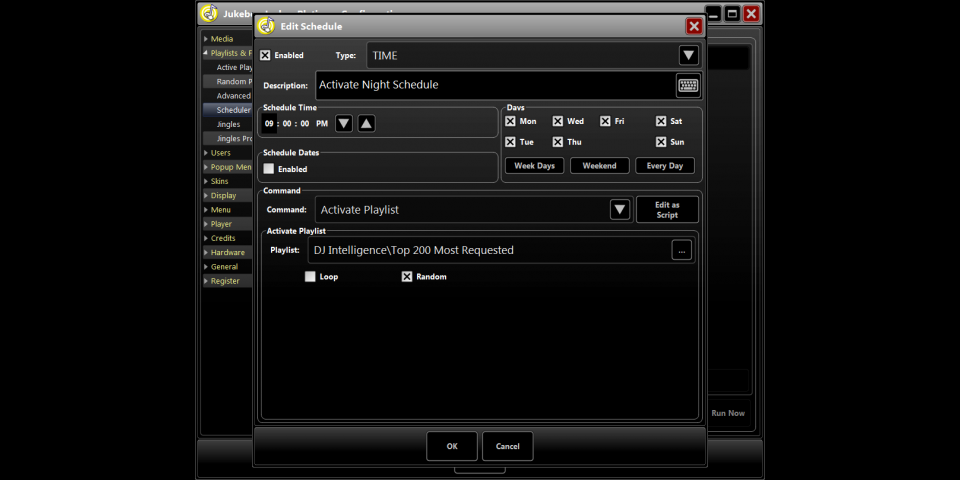
New! Scheduling Configure Jukebox Jockey to execute specific commands based on the dates and times. Use this feature to adjust random play, filters, advertisements, volumes, users, and more. X
New! Advertisement Insertion Inject tracks into the playback sequence from a playlist at specific intervals based on time or track(s) played. This is helpful to automatically play advertisements or tracks from a specific genre based on X plays or X minutes. X
Updated Skins Change the background of the skin and dramatically change the look and feel of the software. Change the Colors and Fonts. Change the formats of the file listsings/views/player. Change the graphics and the buttons (advanced users only). X X X
Commercial License Licensed for use in a commercial environment. The Home Edition is not licensed for use in a business or organization. X X
Price $69 $149 $229

jjlogo

© 2006+ Jukebox Jockey, LLC — All Rights Reserved.